Chatter for SharePoint 2007 Released!

Hi Everyone – I am very pleased to announce that the new 2007-compatible version of Chatter for SharePoint is now available! You can download the latest version here. To my knowledge, this is the only solution that integrates SalesForce Chatter with SharePoint 2007.

All three versions of the solution are functionally identical – except where differences in the platform need to be handled. For example, since SharePoint 2007 does not have the Ribbon, the Share options are located in context-menus.

Some screenshots:
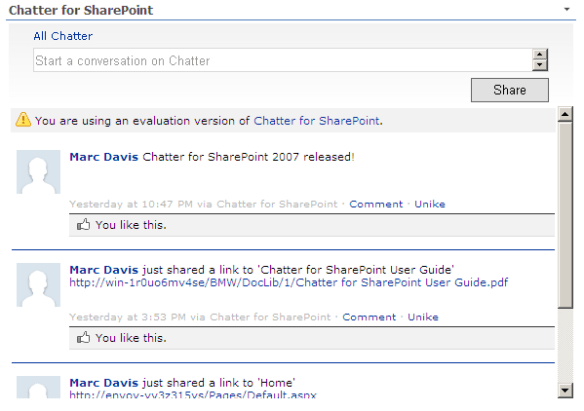

Above: Chatter for SharePoint 2007 web part.
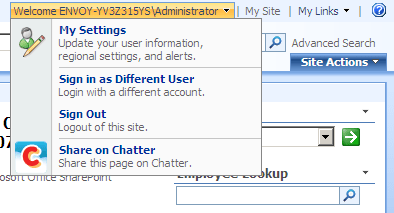

Above: Share Page context menu.
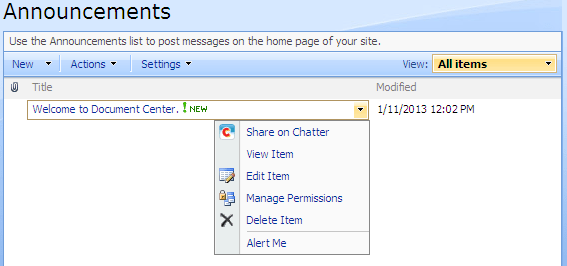

Above: Share Item context menu.
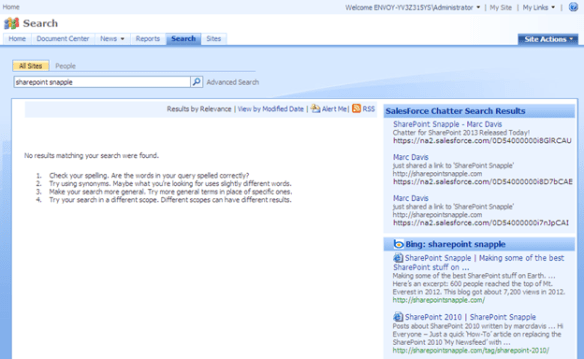

Above: Federated Search Integration

The 2007 version works on all x86 versions of SharePoint 2007 (WSS 3.0, Standard and Enterprise). Check the documentation for other system requirements and prerequisites.

A new version of the 2010 and 2013 solutions are also available which include some cosmetic updates and fixes.

Version 1.3.0.0 changes include:

  • Initial support for SharePoint 2007
  • Fixed issue where under certain conditions the authorization token would not be written to the user’s profile
  • Fixed gradient background when running on Internet Explorer 10
  • Added support for Chatter API version 26
  • Minor cosmetic tweaks
  • Some internal code improvements

The 2007 version is licensed in the same manner as the other versions – by farm. Same price too, just $49 USD. I’m very happy to offer solutions for these platforms. Please check them out and be sure to send me any comments or suggestions. Thanks!
Coming Soon: Chatter for SharePoint 2007

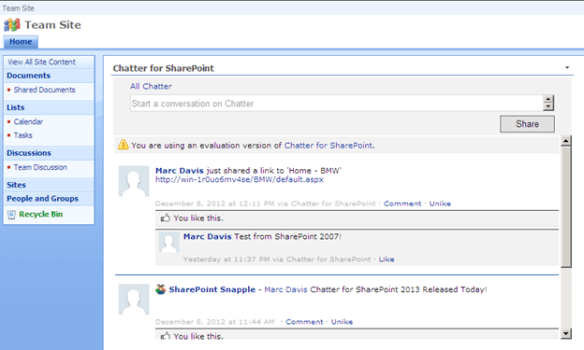
I’ve received a number of inquiries on support for WSS 3.0 and SharePoint 2007. Initially I did not plan to support this platform – but I’ve now decided to take a look at what would be involved to get Chatter for SharePoint working on this version. I’m happy to say it wasn’t half as bad as I feared – sort of. While the web part itself was easily ported to 2007, the other features like the Ribbon Integration and Federated Search need some tweaking.

So – expect to see a WSS 3.0/SharePoint 2007 (x86 only) compatible version of the solution soon. Final features and pricing TBD. In the meantime – here’s a screenshot of the web part running on WSS 3.0:

More details coming soon. Thanks for the feedback and comments.

Chatter for SharePoint 2013 Released!

Hi Everyone – I am very pleased to announce that the new 2013-compatible version of Chatter for SharePoint is now available! You can download the latest version here.

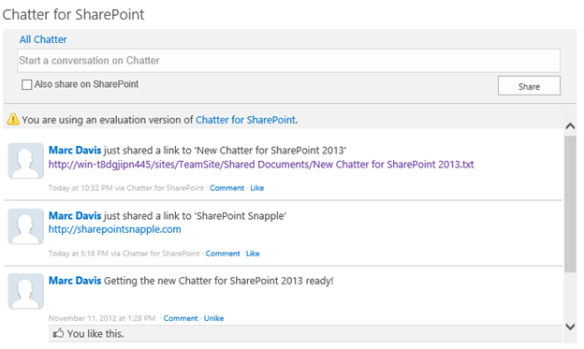
The 2010/2013 versions are functionally identical – except where differences in the platform need to be handled. The 2013 version has an updated look that honors the native SharePoint 2013 branding:

It is my intention to manage the 2010 and 2013 version in lock-step, until such time where it is not practical or 2013 gains more traction. A new version of the 2010 solution is also available which includes some cosmetic updates and fixes.

Version 1.2.0.0 changes include:

  • Initial support for SharePoint 2013
  • Fixed issue where URLs to feed items in search results were linking to feeds rather than the actual item
  • Fixed issue where URLs from Links list types were returning the display-item URL rather than the URL of the actual link
  • Fixed issue where the Group breadcrumb would not reload the current feed when clicked
  • Added support for sharing 2013 Task list items
  • Added support for sharing 2013 Picture library items

The 2013 version is licensed in the same manner as the 2010 version – by farm. Same price too, just $49 USD. I’m very happy to offer solutions for both of these platforms – and to be the first to offer a 2013-compatible version. Please check them out and be sure to send me any comments or suggestions. Thanks!

Replace the SharePoint 2010 Newsfeed with SalesForce Chatter

Hi Everyone – Just a quick ‘How-To’ article on replacing the SharePoint 2010 ‘My Newsfeed’ with SalesForce Chatter using Chatter for SharePoint. Why would you want to do this? Well (in my opinion) the newsfeed feature feels incomplete. You can’t have true threaded discussions in the feed – it is more a rollup of activities within SharePoint – and the frequency of the updates depends on how your timer jobs are configured. If you are using Chatter as your social platform and SharePoint for collaboration, the My Newsfeed page would be a great place to put the Chatter for SharePoint web part.

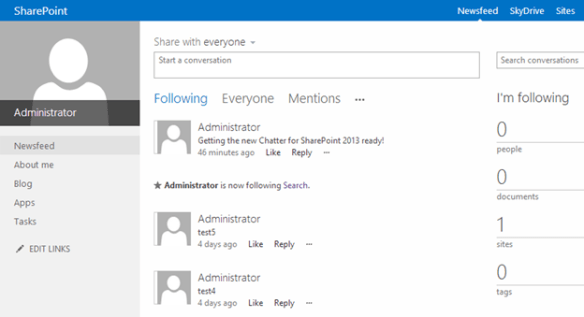
This change is really easy to do since the My Newsfeed page is just a web part page. Using your SharePoint Administrator account (one that has site collection admin rights to the My Site host), you can edit the newsfeed page, close (don’t delete) the ‘What’s New’ web part and add the Chatter for SharePoint web part to the top zone. If you haven’t already configured the web part previously you will need to do so now (or copy the app settings into your My Site web.config file). Once you have it configured, your users will be able to see the latest updates on Chatter any time they visit the My Newsfeed link:

Above: The modified My Newsfeed page. Note that the web part title bar is hidden (set to none in the web part properties).

Hope you found this tip useful. Thanks for using Chatter for SharePoint!

Chatter for SharePoint 2013: Screenshots

11/13/14 Update: Just a reminder that this is an older post and the screenshots are of the 1.x version of the product. The new 2.0 release is now available.

Hello all from sunny (yet chilly) Las Vegas! In town for the SharePoint 2012 Conference and looking forward to a great week of sessions and networking opportunities. Since the topic of this year’s conference is the new SharePoint 2013 I wanted to share with you the progress I’m making with the 2013 version of the Chatter for SharePoint solution. I was hoping to release this before the conference but I have some technical questions around the changes made to federated search that I hope to get answered this week.

So – here are some screenshots of the 2013 version in action:

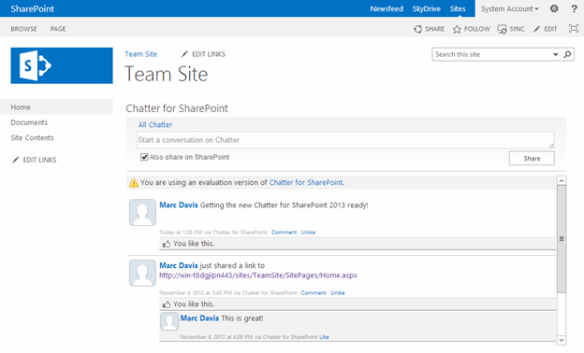
Above: The Chatter for SharePoint 2013 web part on a Team Site. The web part honors the ‘Metro’ style of SharePoint 2013.

Above: The Chatter Ribbon Integration

Above: The ‘Share on SharePoint’ option now integrates with the social features of SharePoint 2013!

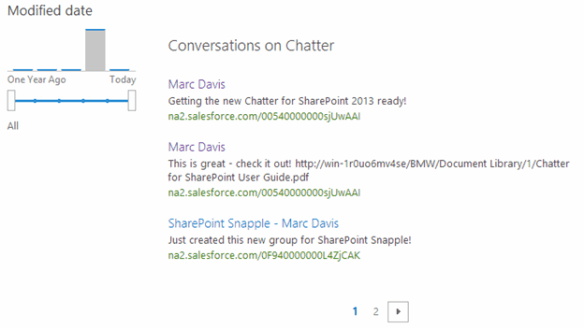
Above: Federated Results (Now called Result Sources in 2013)

As you can see I’m pretty close – just a few things to clean up and then I need to update the documentation. In addition to the 2013 support, the 2010 version will be getting some cosmetic improvements and fixes that I developed while working on the new version.

If you are at the conference this week – look me up by sending me a tweet to @MarcRDavis. Love to talk all-things-SharePoint. Keep checking back for more updates on Chatter for SharePoint 2013!

Video: Chatter for SharePoint

Hi Everyone – Thanks for visiting the blog. A lot of you have contacted me asking for a demo or WebEx to illustrate the configuration and use of the Chatter for SharePoint solution. It took me a bit longer than expected (due to personal commitments and finding a nice quiet space) but I am now pleased to release a 30 minute video that goes over the prerequisites, installation, configuration and use of the Chatter for SharePoint solution. Please take a look and feel free to comment. Also – if you have not downloaded the solution yet or have been using (or looking at) the SalesForce version – I hope you will download my solution and take it for a spin.

YouTube: http://www.youtube.com/v?v=oy0uAptaOQw&feature=youtu.be&hd=1

(Recommend you view in full screen and HD for best experience)

Chatter for SharePoint: Version 1.1 Released!

Hi Everyone – Late night here at SharePoint Snapple but for a good cause. Version 1.1 of the Chatter for SharePoint solution just went live on the blog. You can download the updated bits and documentation right now.

As promised – this version contains the much anticipated SharePoint Foundation support and the new Federated Search with Chatter feature. V1.1 also includes several usability fixes and improvements. Be sure to check out the All New User Guide – every section has been updated with new information, tutorials and screen shots to make your experience with the solution the best it can be. I’m also finishing a video that I’ll post to the blog shortly which demonstrates the installation, configuration and use of the solution.

So please go download and install the new version while I get some much needed sleep. Please continue to send me your feedback and suggestions. I hope you enjoy using the new Chatter for SharePoint!

Chatter for SharePoint: Foundation Support

Hi Everyone – Thanks to all of you who have purchased the web part this week – I’m amazed at the interest and excitement there is in the community to integrate Chatter with SharePoint.

I am pleased to announce that Version 1.1 of the Chatter for SharePoint solution will be released shortly and includes 2 major enhancements:

  1. SharePoint Foundation 2010 support
  2. Federated Search with Chatter (SharePoint 2010 Standard/Enterprise only)

By far the most requested enhancement has been the Foundation support. This opens the solution up to the entire SharePoint 2010 community and I am thrilled to offer it. When running on Foundation, the search-integration with Chatter will not be available since the Search Server Services are not present.

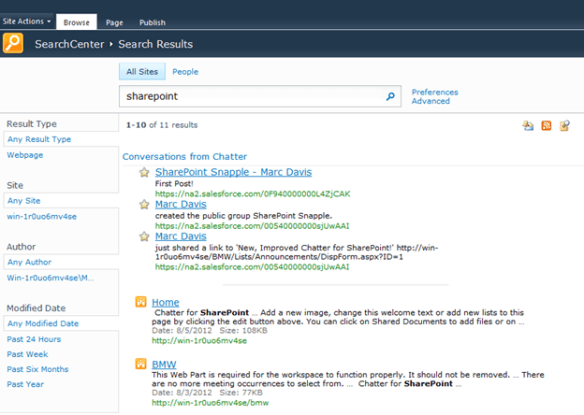
Speaking of Federated Search – it’s ready and will be in the V1.1 release. The package includes a utility to automatically install and configure the search connector in your environment. All you will need to do is add/update the existing Federated Results web part on your Search Center results page.

As always, existing licensed users can upgrade to this new version by downloading the package, retracting the old WSP, and deploying the new one. Detailed instructions will be included with the solution.

I’m looking to release the new version sometime this weekend; still have some regression testing to do and code cleanup. Thanks for your continued suggestions and support. Have a great weekend!

Chatter for SharePoint: Search

Busy weekend here at SharePoint Snapple! First we release a ton of updates on Friday and now by late Sunday night (ok, technically early Monday morning) I have some more goodness to show you. I’ve been working on integrating Chatter conversations into SharePoint Server’s search and now have some details to share.

I’ve built an OpenSearch-compliant web service that queries the All Company feed, parses the JSON, and renders an ATOM/RSS feed that is compatible with the OpenSearch provider in SharePoint 2010. The service can either pass the user’s token to SalesForce or use a ReadOnly API user to make the call. Links in the returned stream open to the related feed within SalesForce.

I’ve felt that being able to integrate searching conversations into SharePoint is a must-have in this solution and I am excited that it is nearly complete. I will have a lot more details to share once I finish the design – but the early work is very promising.