Chatter for SharePoint: Version 1.1 Released!

Hi Everyone – Late night here at SharePoint Snapple but for a good cause. Version 1.1 of the Chatter for SharePoint solution just went live on the blog. You can download the updated bits and documentation right now.

As promised – this version contains the much anticipated SharePoint Foundation support and the new Federated Search with Chatter feature. V1.1 also includes several usability fixes and improvements. Be sure to check out the All New User Guide – every section has been updated with new information, tutorials and screen shots to make your experience with the solution the best it can be. I’m also finishing a video that I’ll post to the blog shortly which demonstrates the installation, configuration and use of the solution.

So please go download and install the new version while I get some much needed sleep. Please continue to send me your feedback and suggestions. I hope you enjoy using the new Chatter for SharePoint!

Chatter for SharePoint: Foundation Support

Hi Everyone – Thanks to all of you who have purchased the web part this week – I’m amazed at the interest and excitement there is in the community to integrate Chatter with SharePoint.

I am pleased to announce that Version 1.1 of the Chatter for SharePoint solution will be released shortly and includes 2 major enhancements:

  1. SharePoint Foundation 2010 support
  2. Federated Search with Chatter (SharePoint 2010 Standard/Enterprise only)

By far the most requested enhancement has been the Foundation support. This opens the solution up to the entire SharePoint 2010 community and I am thrilled to offer it. When running on Foundation, the search-integration with Chatter will not be available since the Search Server Services are not present.

Speaking of Federated Search – it’s ready and will be in the V1.1 release. The package includes a utility to automatically install and configure the search connector in your environment. All you will need to do is add/update the existing Federated Results web part on your Search Center results page.

As always, existing licensed users can upgrade to this new version by downloading the package, retracting the old WSP, and deploying the new one. Detailed instructions will be included with the solution.

I’m looking to release the new version sometime this weekend; still have some regression testing to do and code cleanup. Thanks for your continued suggestions and support. Have a great weekend!

Chatter for SharePoint: Search

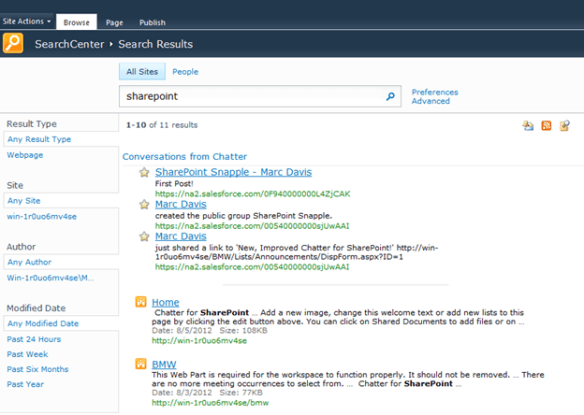
Busy weekend here at SharePoint Snapple! First we release a ton of updates on Friday and now by late Sunday night (ok, technically early Monday morning) I have some more goodness to show you. I’ve been working on integrating Chatter conversations into SharePoint Server’s search and now have some details to share.

I’ve built an OpenSearch-compliant web service that queries the All Company feed, parses the JSON, and renders an ATOM/RSS feed that is compatible with the OpenSearch provider in SharePoint 2010. The service can either pass the user’s token to SalesForce or use a ReadOnly API user to make the call. Links in the returned stream open to the related feed within SalesForce.

I’ve felt that being able to integrate searching conversations into SharePoint is a must-have in this solution and I am excited that it is nearly complete. I will have a lot more details to share once I finish the design – but the early work is very promising.

SalesForce Chatter Web Part

You asked for it – the Chatter for SharePoint web part is now available! Download it right now and try it out in your SharePoint farm. The evaluation version is good for 15 days and will demonstrate all of the features of the web part – with only the minimum of nagging and annoying restrictions.

https://marcrdavis.wordpress.com/chatter-for-sharepoint/


SharePoint Connections 2012

Hi All – Going to be attending the SharePoint Connections Conference (DevConnections) in Las Vegas the week of March 26th. Are you going? Lots of great sessions and collaboration opportunities. Look for my tweets and blog updates from the conference and more from me on SunGard’s SharePoint Intranet.

Common Properties Editor

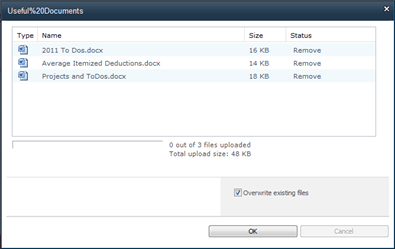
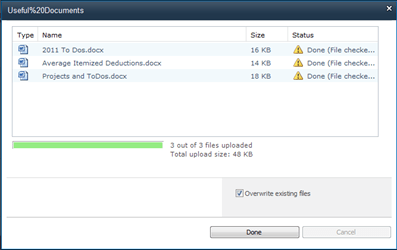
Hi all – another post on how SunGard is enhancing their user’s experiences with SharePoint 2010. This one is closely related to the last post regarding the Multiple Document Upload with Required Fields. After we deployed that solution, the next logical step was to give our users the ability to edit the common properties of multiple documents already in the library.

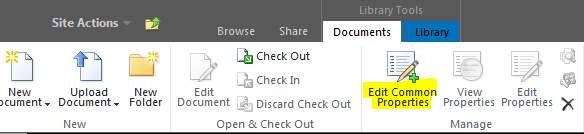
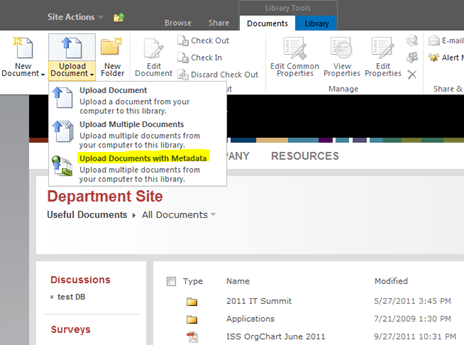
(The Edit Common Properties ribbon button – only available when 2 or more items are selected)

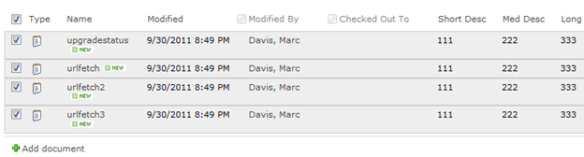
(4 documents selected)

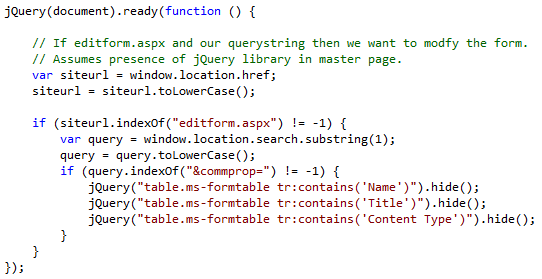
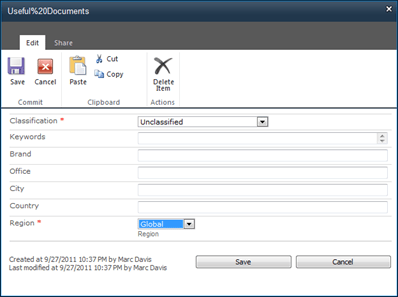
When you click on the button, the feature collects the selected items and builds a list of the common fields. It then opens the property editor. We’re using the native editform.aspx page (unmodified) and some jQuery to hide the unwanted fields:

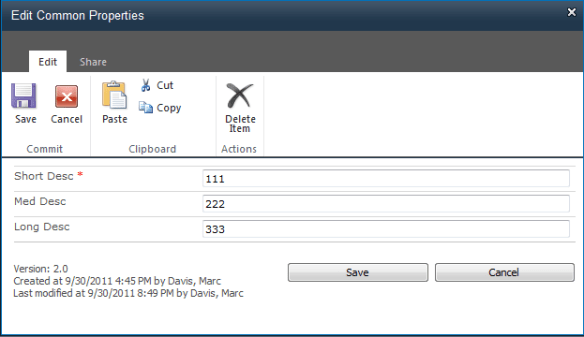
(The Common Properties Editor modal window, before changes. Only the values common to all items are shown.)

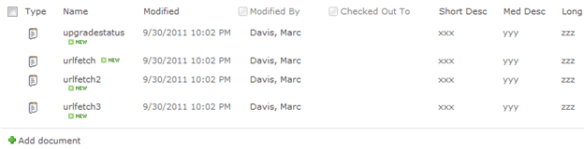
Make your changes and click ‘Save’. An event handler for itemUpdating takes care of the changes. The selected documents properties will be updated accordingly:

Again – it is a really simple feature that adds a lot of value and saves our users time. Coming up next – a look at the custom navigation system that SunGard designed for their intranet – The Mega Menu.

Want to know more – look for me at the SharePoint Conference next week in Anaheim and chat me up on all things SharePoint. Follow me on twitter for updates from the conference: http://twitter.com/#!/marcrdavis

Persistent Personalized Content in SharePoint

I’m agonizing over that title because it really does not do this feature justice. Let’s see if I can do better with the description and some pictures. Of all the work we did to bring this new Intranet to fruition – this is the one feature that sets it apart – and the one I am most proud of.

To start, we all should be familiar with SharePoint’s native ability to personalize web part pages. Great feature. Your users can create a personal view of a page and add/modify/arrange web parts as they like – and there are so many kinds of web parts available – stocks, weather, social apps, RSS feeds, audio/video podcasts, email, calendars, list aggregators, the list goes on forever. All that is wonderful – your users spend time to personalize a page and then they browse to another page. New page = new (or different) web parts.

When we sat down to design our new Intranet we wanted to have more web parts and more personalized content available – but how useful is that stock web part if you can only see it on your My Site or home page? Not very useful at all. We wanted these web parts to follow users as they navigated the site so the information would always be at their fingertips – but not taking up valuable screen real estate.

I give you: The Sidebar
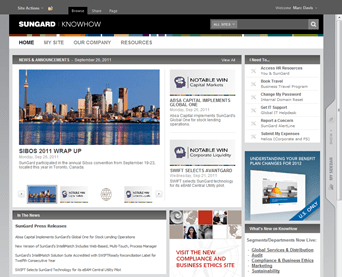
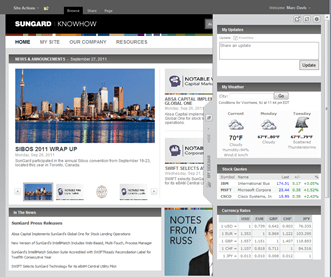
The Sidebar (collapsed)
The Sidebar (open, pinned)

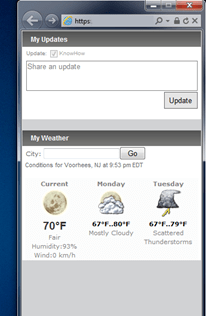
The simplest description is this: The Sidebar is a personal view of a custom web part page wrapped in jQuery. It exists in our custom master page as a series of DIVs and an iFrame – and being in the master page allows it to persist across all pages in our farm. The sidebar slides open and closed as users mouse over or away from the Sidebar tab. It can be pinned to the side (useful if you have a wide monitor) or it can be detached and docked to the side of your monitor in a separate browser window.

Rather than dwell on the technical issues with implementing this (oh there are a few and it took us months to get it right) let’s discuss how this affects the user experience. Users can now have their personal content follow them as they use the intranet. Their web parts are no longer anchored to a home page or their My Site – seldom to be seen. Administrators can push common web parts to all users – like social applications and company news – and because the Sidebar is persistent the users can consume the content at any time – from any page.

Podcast web parts are great – until you navigate away from the page and lose the feed. Put a podcast web part in your Sidebar and dock it to your desktop – Now you can stream content and browse without skipping a beat.

The Sidebar brings the personalization aspects of SharePoint 2010 to the forefront and, we find, has increased user interest in using and interacting with the web parts.

Options

The sidebar contains a few options, represented as buttons across the top-right of the Sidebar:

Detach, Refresh, and Personalize

Detach

As mentioned above, Detach will dock a copy of the Sidebar to the side of your active monitor in a separate instance of your browser. Why? Useful if you have any podcast web parts or other streaming content and you do not want that content reset or interrupted as you browse the rest of the web site. You can minimize it and have that content continue to run in the background.
Refresh

Does exactly what it says – it refreshes the Sidebar content.

Personalize

Choosing the Personalize option in the Sidebar opens a modal window to the web part page editor for the Sidebar:
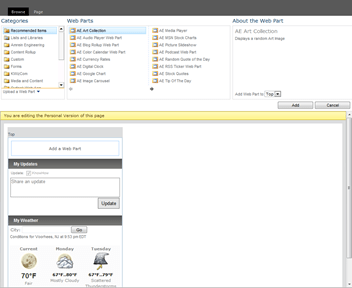
Users simply choose web parts from the gallery and add them to the layout. They can move and modify existing web parts too. Also, Sidebar Administrators can seed web parts into everyone’s Sidebar by default. For example, all of our users receive the My Updates and My Weather web parts by default. Users can hide, but not delete administrator-defined web parts.

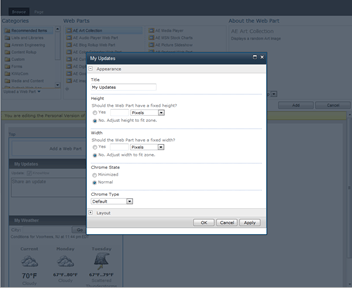
Another nice touch is how web part properties are modified. When you edit a web part, instead of the web part properties panel opening on the right of the screen, we have it opening in a modal window. This change was necessary due to the fixed-width layout of our sites but I think it is a much better way to handle the web part properties than the native right-panel view. (This change is based off an example on the Internet, don’t have the URL at the moment but I will update this post when I have it and give full credit to the author)
Pretty cool, right? Sadly you will not find a link at the end of this post with all the code you need to build your own Sidebar (SunGard Intellectual Property). I can point you in the right direction if you need some help with your own implementation.

Want to know more – look for me at the SharePoint Conference next week in Anaheim and chat me up on all things SharePoint. Follow me on twitter for updates from the conference: http://twitter.com/#!/marcrdavis