Replace the SharePoint 2010 Newsfeed with SalesForce Chatter

Hi Everyone – Just a quick ‘How-To’ article on replacing the SharePoint 2010 ‘My Newsfeed’ with SalesForce Chatter using Chatter for SharePoint. Why would you want to do this? Well (in my opinion) the newsfeed feature feels incomplete. You can’t have true threaded discussions in the feed – it is more a rollup of activities within SharePoint – and the frequency of the updates depends on how your timer jobs are configured. If you are using Chatter as your social platform and SharePoint for collaboration, the My Newsfeed page would be a great place to put the Chatter for SharePoint web part.

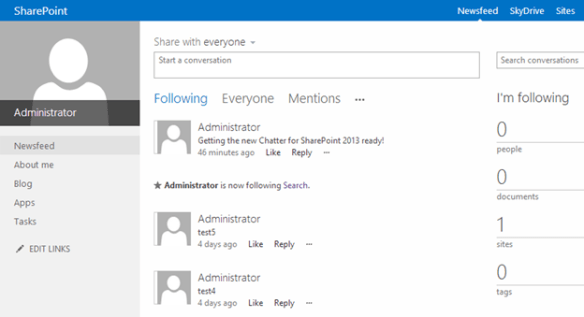
This change is really easy to do since the My Newsfeed page is just a web part page. Using your SharePoint Administrator account (one that has site collection admin rights to the My Site host), you can edit the newsfeed page, close (don’t delete) the ‘What’s New’ web part and add the Chatter for SharePoint web part to the top zone. If you haven’t already configured the web part previously you will need to do so now (or copy the app settings into your My Site web.config file). Once you have it configured, your users will be able to see the latest updates on Chatter any time they visit the My Newsfeed link:

Above: The modified My Newsfeed page. Note that the web part title bar is hidden (set to none in the web part properties).

Hope you found this tip useful. Thanks for using Chatter for SharePoint!
Chatter for SharePoint 2013: Screenshots

11/13/14 Update: Just a reminder that this is an older post and the screenshots are of the 1.x version of the product. The new 2.0 release is now available.

Hello all from sunny (yet chilly) Las Vegas! In town for the SharePoint 2012 Conference and looking forward to a great week of sessions and networking opportunities. Since the topic of this year’s conference is the new SharePoint 2013 I wanted to share with you the progress I’m making with the 2013 version of the Chatter for SharePoint solution. I was hoping to release this before the conference but I have some technical questions around the changes made to federated search that I hope to get answered this week.

So – here are some screenshots of the 2013 version in action:

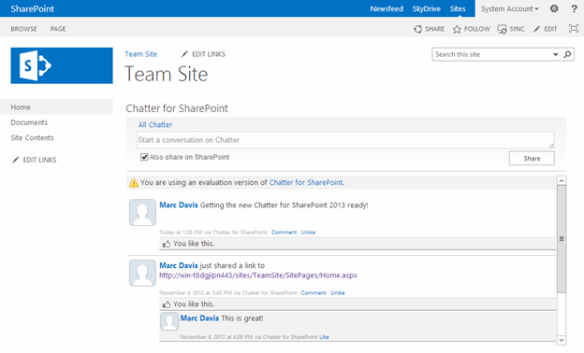
Above: The Chatter for SharePoint 2013 web part on a Team Site. The web part honors the ‘Metro’ style of SharePoint 2013.

Above: The Chatter Ribbon Integration

Above: The ‘Share on SharePoint’ option now integrates with the social features of SharePoint 2013!

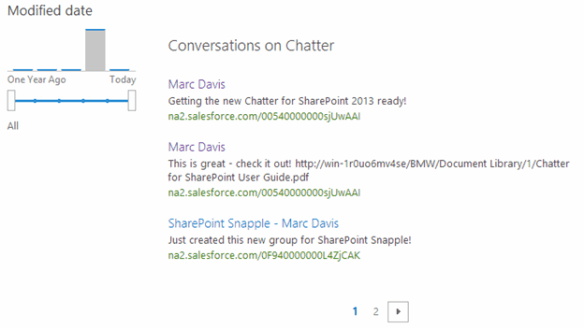
Above: Federated Results (Now called Result Sources in 2013)

As you can see I’m pretty close – just a few things to clean up and then I need to update the documentation. In addition to the 2013 support, the 2010 version will be getting some cosmetic improvements and fixes that I developed while working on the new version.

If you are at the conference this week – look me up by sending me a tweet to @MarcRDavis. Love to talk all-things-SharePoint. Keep checking back for more updates on Chatter for SharePoint 2013!